Classroom Context
Keep class, subject and teaching context together.

From classroom context and source material to reviewed, editable results — TeacherAIssistant connects the work instead of adding another isolated prompt box.
Still in development. Not all planned features are included. Future commercial versions are not promised free.
Keep class, subject and teaching context together.
Build lessons and sequences around your actual classroom.
Create editable classroom materials from your own sources.
Generate, adapt and review structured worksheets and exercises.
Turn scans, images and audio into editable classroom content.
Create images, audio and teaching resources in the same workspace.
Support criteria, feedback and reporting while the teacher stays in control.
Use AI freely when a structured workflow is not what you need.
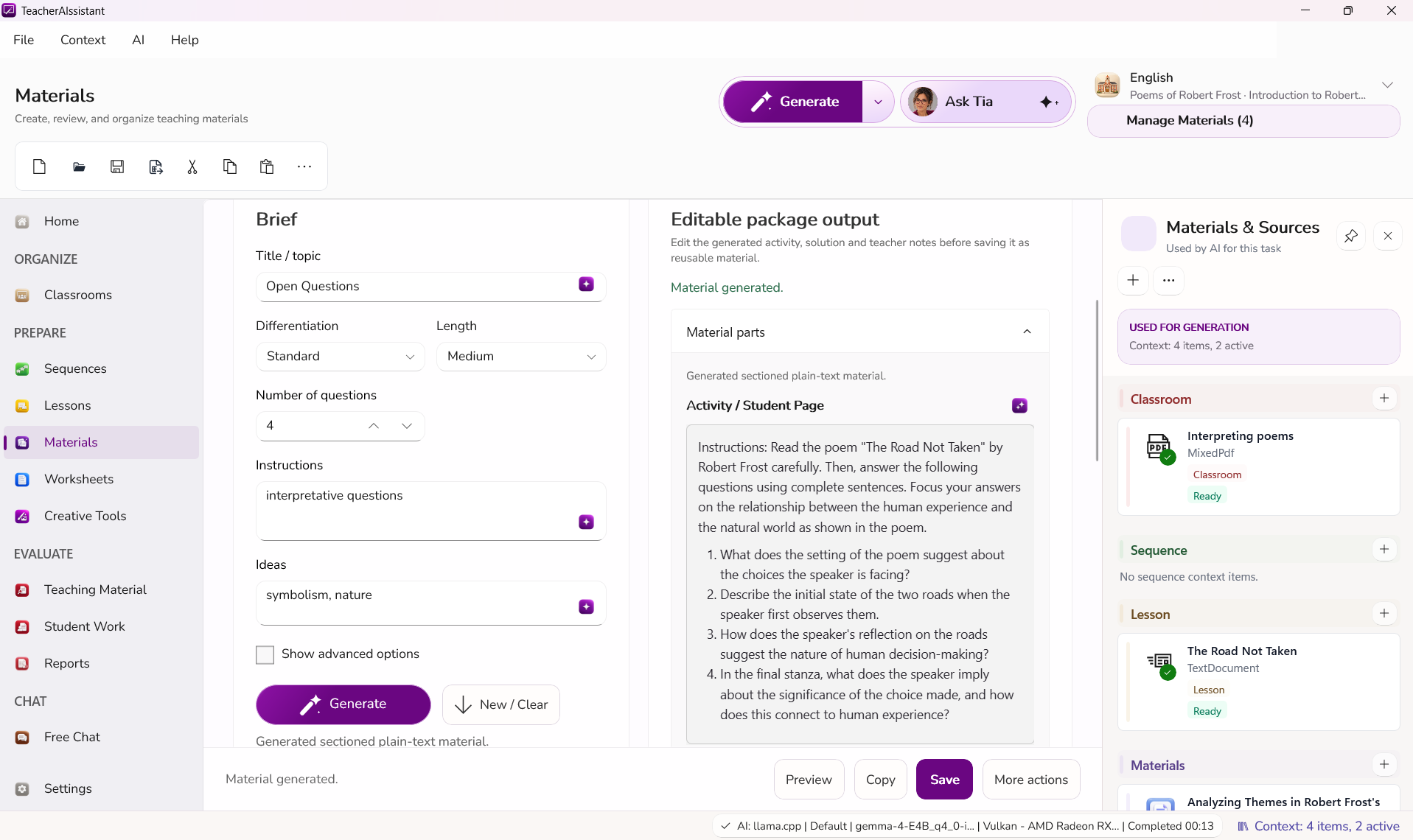
No need to explain the same class over and over again.
Review, change and approve before anything leaves the workspace.
Move from source to material, adaptation and export without rebuilding context.
Windows 11 · Free public beta · Available until November 15, 2026 Still in development. Not all planned features are included. Future commercial versions are not promised free.